Pick & Share - How to create and share a custom publication
With the new Pick & Share feature you can enable readers to create and share custom publications by selecting their favorite pages and rearranging them into a personalized order.
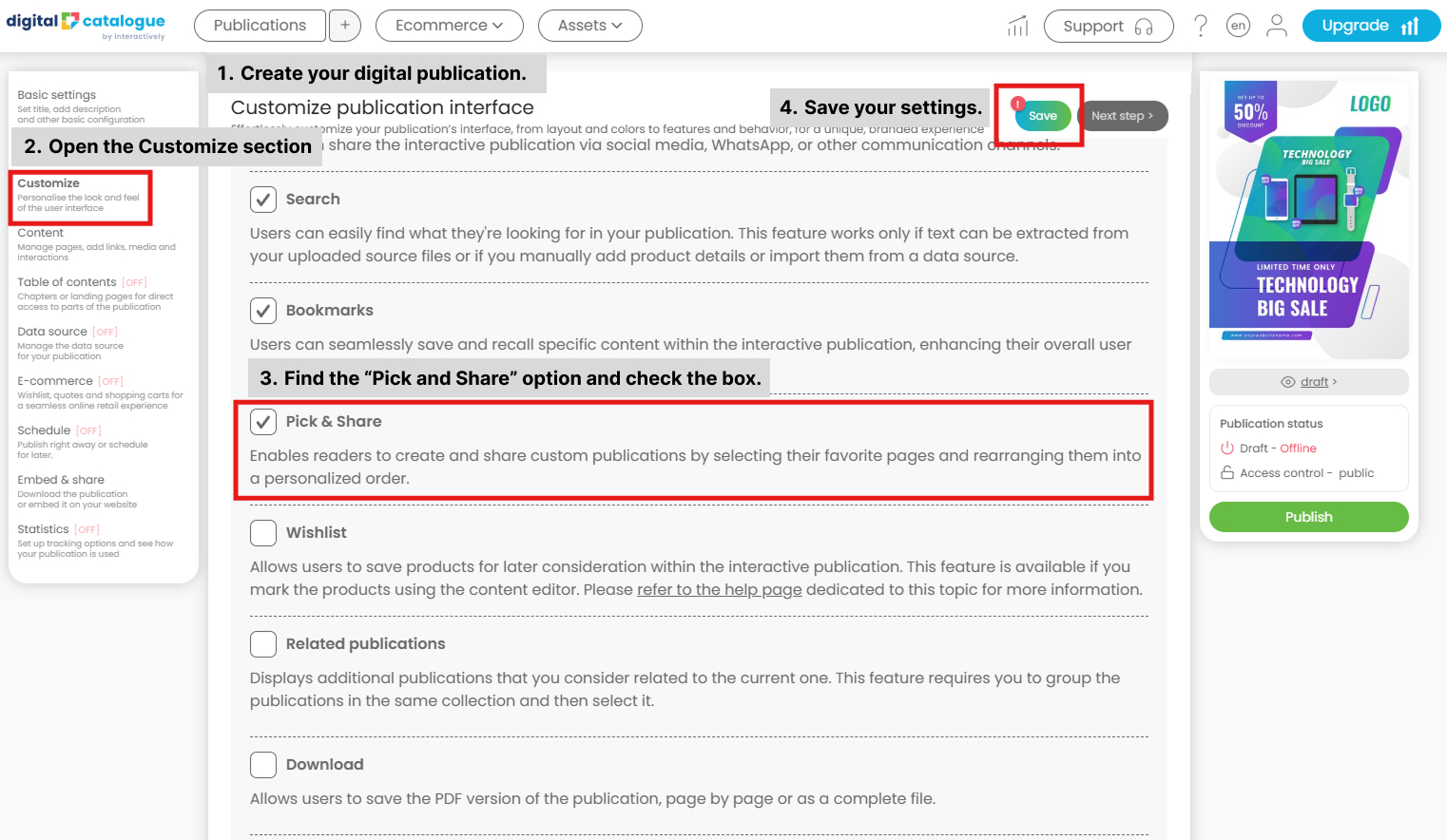
Follow the steps below to enable the feature on your publication:
- Create your digital publication.
- Open the Customize section.
- Find the “Pick and Share” option and check the box.
- Save your settings.
Once saved, the feature is enabled and ready to use.
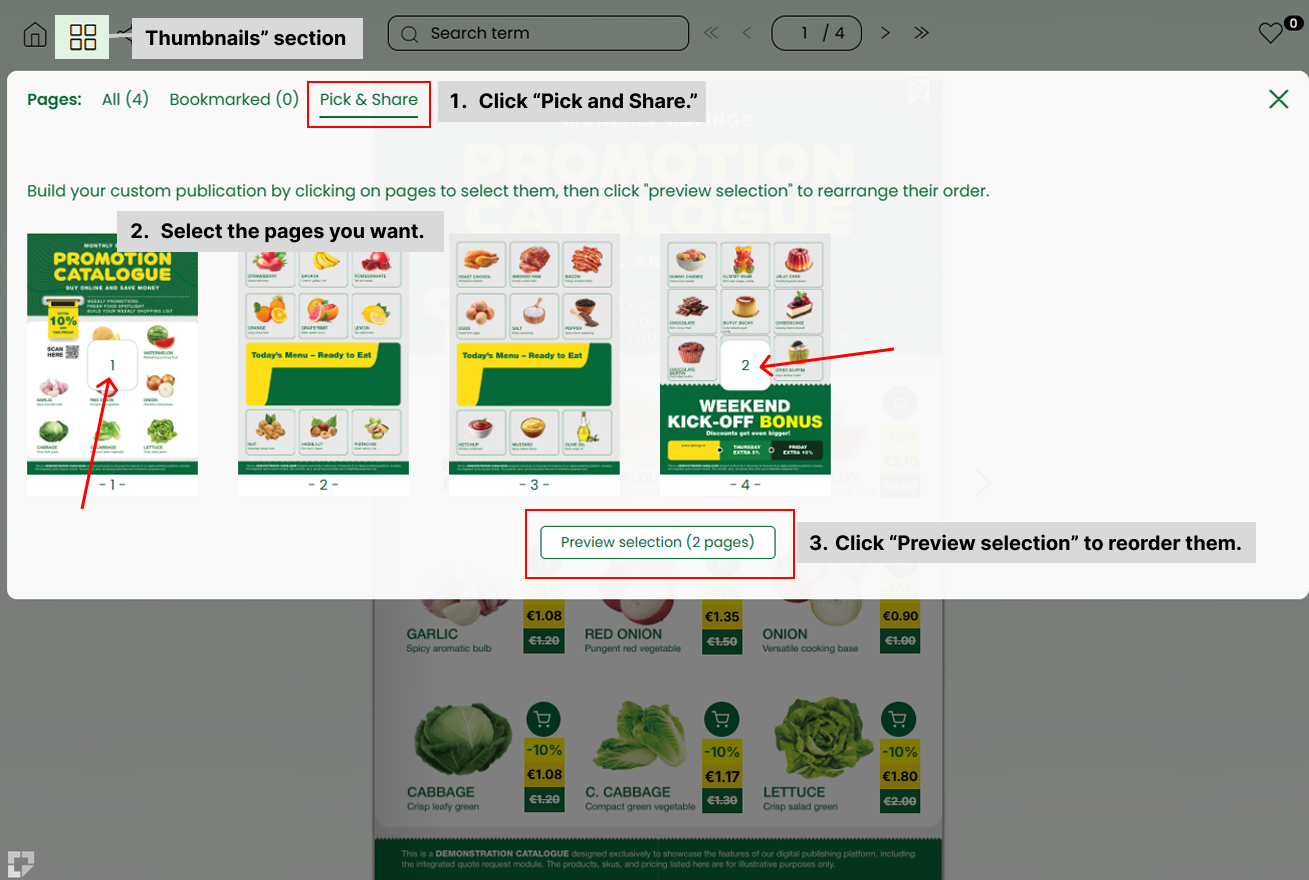
The option is available in your publication menu, under the “Thumbnails” section.
- Click “Pick and Share.”
- Select the pages you want.
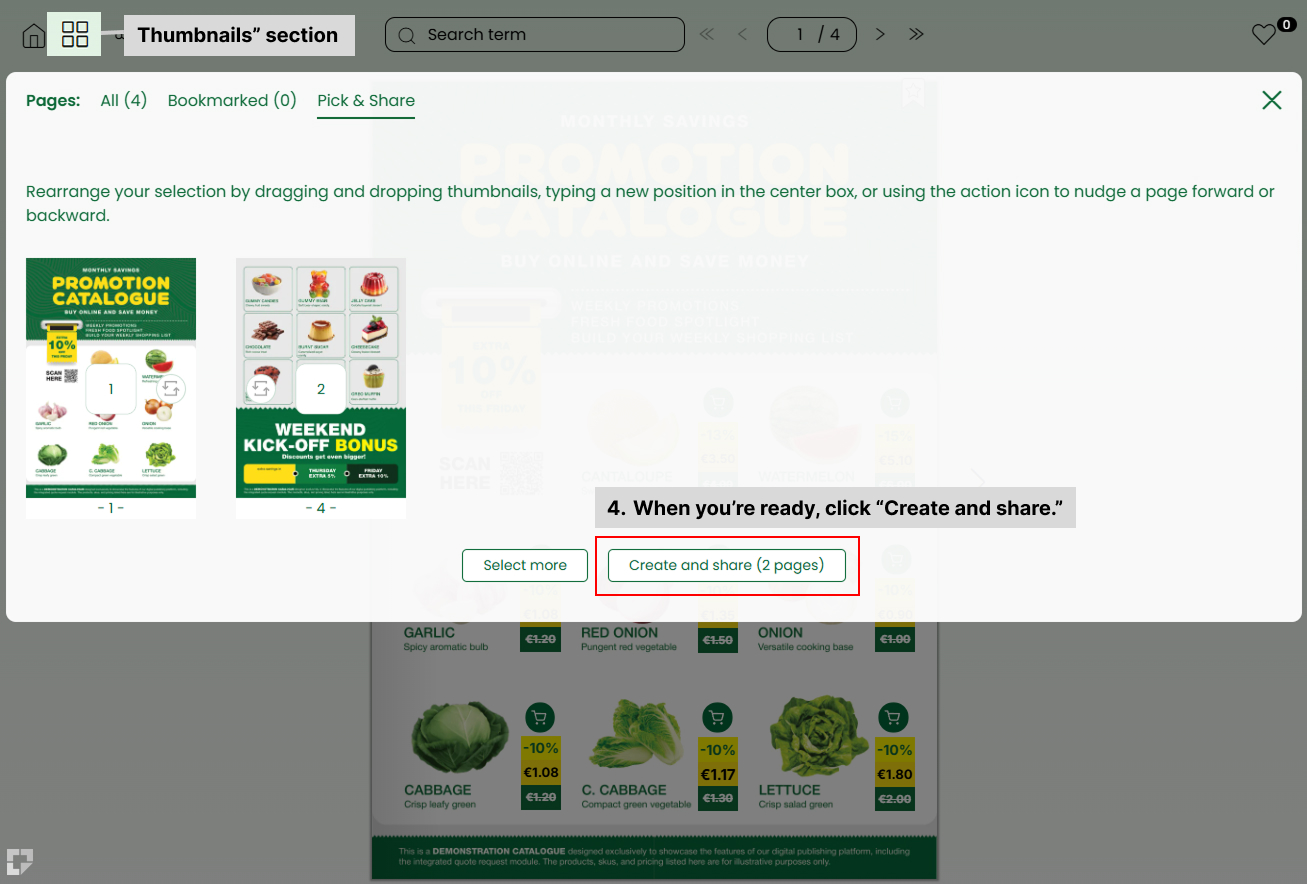
- Click “Preview selection” to reorder them.
- When you’re ready, click “Create and share.”
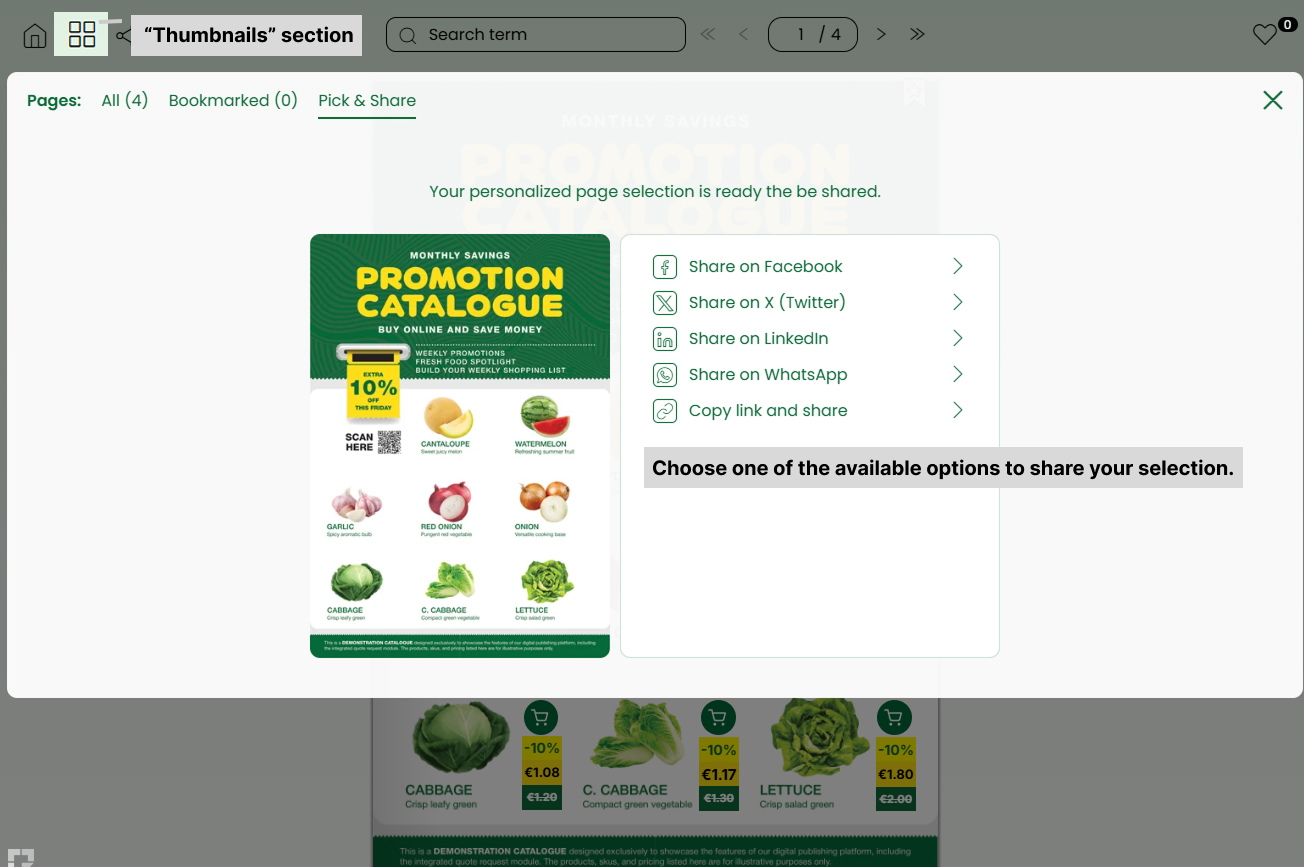
You can then share your selection as you wish.